Go on Ome.tv with your friends
You and up to 3 friends show up together in the same picture, and the stranger sees all of you. Your friends just open a link, from their phone or computer.
- Friends install nothing
- Video goes straight between you
- Computer, Android and iPhone
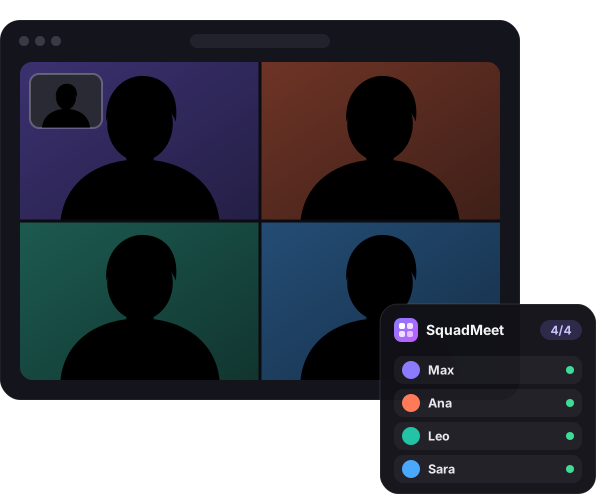
Three steps and you're in
Whoever has SquadMeet is the host. Everyone else joins from their browser.
- Create the groupGo to Ome.tv and press “Create group” in the SquadMeet panel.
- Send the linkUp to 3 friends open it and show up in your panel. No account or app needed.
- Press StartThe next stranger sees all four of you, and your friends see and hear the conversation.
Install
Only the host installs it. Choose where you'll use Ome.tv.
Extension for your browser Recommended
One click to install and it updates itself. Then go to ome.tv and you'll see the panel at the top right.
Extension for Chrome, Edge or Brave
Coming soon to the Chrome, Edge and Firefox stores. Until then, install it like this:
- Download the extension and unzip it into a folder you won't delete.
Download extension - Open
chrome://extensionsand turn on Developer mode (top right). - Press Load unpacked and choose the folder.
- Go to ome.tv: the SquadMeet panel shows up at the top right.
Rather not install anything? Use the bookmark button
Drag this button to your bookmarks bar and click it whenever you're on ome.tv: SquadMeet
With the SquadMeet shortcut Recommended
Set it up once, then just tap Share → SquadMeet on ome.tv.
- Add the shortcut to the Shortcuts app.
Create the shortcut - Allow Shortcuts to run scripts: Settings → Apps → Shortcuts → Advanced → “Allow Running Scripts”.
- Once, on ome.tv: aA (or ⋯) button → “Website Settings” → turn on “Request Desktop Website”. Safari will remember it.
- Every time: on ome.tv, tap Share → SquadMeet. The panel shows up at the bottom.
Other ways: automatic with Userscripts, or with a bookmark
Automatic with the Userscripts app (the panel shows up by itself, but setup takes longer):
- Install Userscripts (free) and open it once.
- Settings → Apps → Safari → Extensions → Userscripts → turn on and allow on “All Websites”.
- Open SquadMeet for Userscripts in Safari, tap the extensions button (aA or ⋯) → Userscripts → Install.
With a bookmark:
- Copy the bookmark.
- Bookmark this page (Share → “Add Bookmark”), edit it, name it
squadand paste what you copied as its address. - On ome.tv (desktop site), type
squadin the address bar and tap the bookmark.
Automatic with Firefox Recommended
Firefox for Android supports extensions: install it once and the panel shows up by itself.
- Install Firefox from Google Play.
Open in Google Play - In Firefox, add SquadMeet.
Add to Firefox - Open ome.tv and turn on “Desktop site” in the ⋮ menu. The SquadMeet panel shows up at the bottom.
With a bookmark in Chrome
- Copy the bookmark.
- Bookmark this page (the star in the ⋮ menu).
- Edit that bookmark: name it
squadand replace its URL with what you copied. - Open ome.tv, turn on “Desktop site” in the ⋮ menu, type
squadin the address bar and tap the bookmark with the star.
On phones, Ome.tv only lets you chat on the web in desktop mode; the mobile version sends you to its app, and nothing can be added to its app.
Frequently asked questions
Is it free?
Yes, completely. No paid plans, ads or accounts.
Do my friends need to install anything?
No. They open the link you send them, on their phone or computer, and allow the camera and microphone.
What does the stranger see?
One picture with all of you: 2, 3 or 4 people sharing the screen, and they hear your voices mixed together. Your friends see the stranger and the rest of the group.
Is anything recorded or stored?
No. Video and audio go directly between your browsers, encrypted. Our server only helps the browsers find each other and stores nothing. The details are in the privacy policy.
My friend is stuck on “Joining…”
It's usually the network: some mobile data networks block direct connections. SquadMeet then tries through a relay server, but if they still can't get in, they should try Wi-Fi or close the page and open the link again.
Is there echo?
If someone has their speakers up loud, yes. It's best if everyone wears headphones.
Can I get banned on Ome.tv?
It can happen. Ome.tv's rules don't allow add-ons that change how their site works, and SquadMeet replaces the video you send with the group's. Use it at your own risk and always follow their community rules.
Is SquadMeet made by Ome.tv?
No. SquadMeet is an independent project with no connection to Ome.tv or its owners.